
Maybe you have things to tell and find it challenging to get relevant readers? In february LinkedIn announced that they soon will make it possible for all members to blish and article on LinkedIn Pulse. Read this post to find out what it is and how to post!
On a weekly basis we get questions about how to and who that can publish blog posts on LinkedIn Pulse. It is easy to publish on Pulse and I will try to guide you below. You can also find a guide at LinkedIn's help center.
You have or will have permission to create articles. The access will be rolled out to everyone over time. In the beggining LinkedIn told that everyone would have access in a couple of weeks but it’s still not rolled out to everyone.
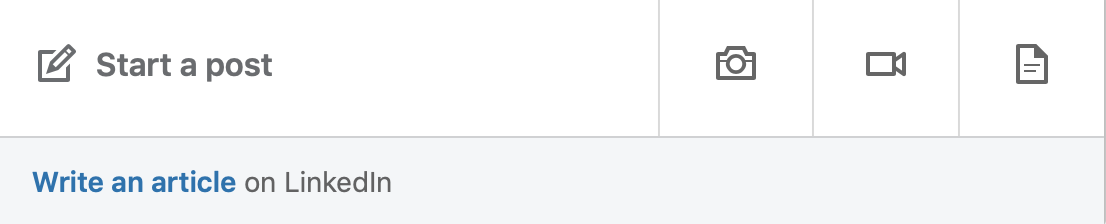
This is how it works!
- Open you browser and check your “Start a post”-area, illustrated by mine above. If you have the permisson to publish you see "Write an article" in below below the white area.
- Click on "Write an article" and go to the tool. Write the content and use tagged images in the writing tool and then hit publish.
- When you have published your post it will appear on your own profile and be shared with the network, including the people you are connected with and members that follow you.
It is simple to write, edit, publish and measure how your posts are doing.
And Pulse is as fair as all other plattforms, if you have high quality on relevant content you will get interest and attention. The advantage with LinkedIn is the possibility to find relevant “followers”.
Now, use this functionality, write your first post and publish it.
Good luck!
Are you at the stage where you want to improve or even set up your profile?
Download our free guide "How to set up and improve your LinkedIn profile" in PDF format: